Custom app / CNC machine shop
Help on the shop floor
When a mill stops, a machinist can take a photo and ask what went wrong. We built an app that explains the alarm, points to a likely cause and shows the manual page and repair records behind its answer.
- The old way
- Walk to the binder, hunt for the right alarm code and ask who worked on the machine last.
- With Ax0s
- Ask at the machine. Open the manual page, the last repair and the drawing on the same phone.
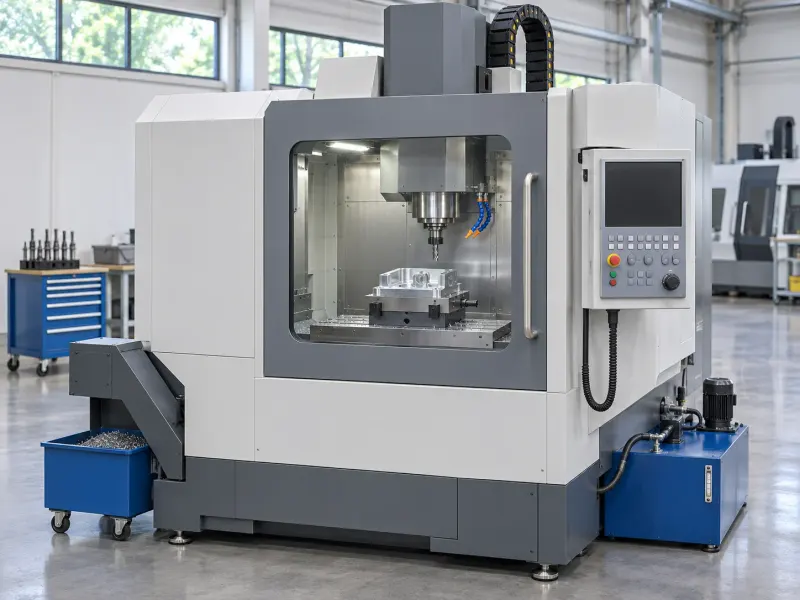
Why did Mill 3 stop?
Low coolant pressure. The filter is likely clogged. Ana fixed the same alarm on March 12 by replacing it.
Alarm 2041: coolant pressure below minimum. Check the filter for blockage.
Mar 12, Ana (2nd shift): same alarm 2041. Replaced the clogged coolant filter; pressure back to normal in 20 minutes.
Section view of the filter housing and cartridge.
Illustrative · invented company and records
What it does
Illustrative · invented company and records
Start with a photo and a question
A machinist can attach a photo of the machine to a question. The app uses what it can recognize in the photo to look for relevant records.
Read the alarm in plain language
The app looks up the fault code in the machine records. It explains what the code means and points to a likely cause when the records support one.
Alarm 2041Low coolant pressure
Open the page behind the answer
The app cites the manual page or short work instruction it used. Open that source to read the full procedure.
Coolant system manualp. 42Alarm 2041: coolant pressure below minimum.
See what happened last time
The app can bring up a past work order for the same machine and alarm. The old fix is a clue, not a diagnosis for today.
Mill 3 repair logWO-138March 12: Ana replaced the clogged coolant filter.
Pull up the drawing
When a drawing is among the sources, the machinist can open it from the answer to see where the part sits in the assembly.
Coolant filterD-07Section view of the filter housing and cartridge.
Ask in their language
A machinist can ask in the language they work in and get the answer back in it. The source is still there to check.
Call the crew on push-to-talk
If the machinist needs another person, they can hold to talk on a shared radio channel in the app.
Mill 3 stops at 6:14 a.m.
Illustrative · invented company and records
Ask at the mill
The machinist snaps a photo of Mill 3 and asks why it stopped.
Read the alarm
The app identifies alarm 2041 as low coolant pressure and points to a possible filter blockage.
Check two records
Page 42 confirms what the code means. Work order WO-138 shows that Ana found a clogged filter after the same alarm on March 12.
Find the part on the drawing
The machinist opens D-07 to see the filter housing and cartridge, then checks the shop procedure before doing any work.
What it works from
- Manuals and alarm tables
- What the codes mean and where to look in the manual.
- Shop procedures and short work instructions
- The steps the shop already documents for a task.
- Repair logs and work orders
- The machine, the fault and what was done on the last repair.
- Machine and assembly drawings
- Where a part sits and what it connects to.
Where it stands
We built and demoed the app. It's not in regular use.
Bring one fault your crew keeps looking up.